The ChatGPT GIF maker is here, and you don’t need any design skills to use it. On 4 November 2026, OpenAI started rolling out animated GIFs in ChatGPT with its new ChatGPT Images 2.6 model. Type an idea or upload a photo, and ChatGPT turns it into a looping GIF you can speed up, slow down and edit frame by frame. Here’s how to use it well, and the mistakes to avoid.
Key takeaways
- What: ChatGPT can now make animated GIFs from a text prompt or a photo.
- Powered by: ChatGPT Images 2.6, OpenAI’s new image model.
- Who gets it: rolling out to all ChatGPT and Codex users on web, desktop and mobile, reports say.
- Controls: change playback speed, edit single frames, then share.
- Scale: OpenAI says people now make over 4 billion images a week, up from 3 billion in September.
Published: 5 November 2026 · Last updated: 5 November 2026 · Status: rolling out from 4 November 2026
[Insert “Table of Contents by Rank Math” block here]
What is the ChatGPT GIF maker?
The ChatGPT GIF maker is a new feature that turns a written idea or an uploaded photo into a short looping animation. According to The Decoder, citing The Verge, it’s built on ChatGPT Images 2.6 and lets you adjust animation speed and edit individual frames after the GIF is made. OpenAI’s own post on X sums it up: “turn a prompt or image into an animated GIF. Adjust the speed, edit individual frames, and share it on repeat.”
If you’ve ever wanted a custom reaction GIF, a moving product shot or a fun birthday wish and gave up because animation software felt too hard, this is aimed at you. You describe what you want in plain words. ChatGPT draws the frames and strings them together.
How does ChatGPT make a GIF?
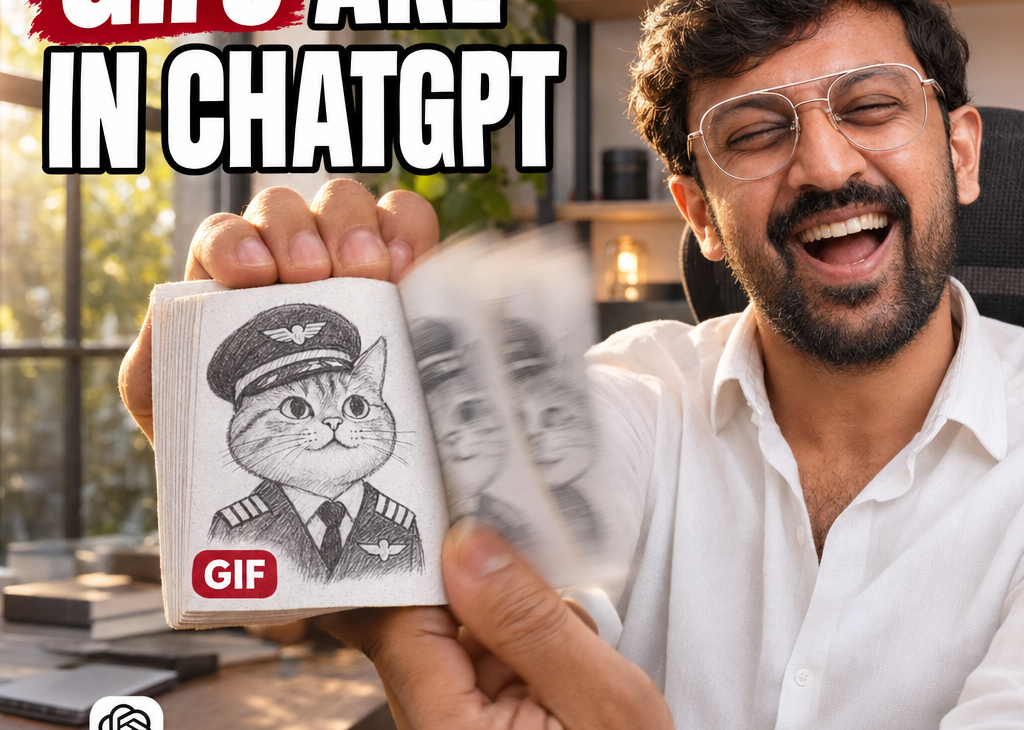
ChatGPT creates several slightly different images of the same scene and plays them in order, like a flipbook. OpenAI’s example prompt, “Can you make a gif of a cat dancing?”, produced a series of near-identical cat drawings with small changes in pose. The Decoder notes that Images 2.6 keeps characters consistent enough across frames for this to work, which earlier models struggled with.
That consistency is the real upgrade. A GIF falls apart if the character’s face, colours or outfit change from frame to frame. Images 2.6 is designed to keep them stable.
How to make a GIF with ChatGPT, step by step
You can make a GIF with ChatGPT in under a minute once the feature reaches your account. OpenAI hasn’t published a detailed guide, so these steps follow how the feature is described in launch coverage:
- Open ChatGPT on the web, desktop app or phone and start a new chat.
- Describe the GIF in one or two sentences: the subject, the action and the style. Example: “Make a GIF of a cartoon chai cup steaming and winking, flat illustration style.”
- Or upload a photo and say how it should move: “Animate this photo of my shop sign so the lights blink.”
- Adjust the speed if the motion feels too fast or slow.
- Fix any frame that looks off by editing it individually, instead of starting again.
- Download or share the finished GIF.
If you don’t see the option yet, the rollout may not have reached you. Update the app and try again over the next few days.
Is the ChatGPT GIF maker free?
Reports say the feature is rolling out to all ChatGPT users, including on web, desktop and mobile, according to The Next Web. OpenAI hasn’t published separate GIF limits. Free accounts usually get fewer image generations than paid plans, so expect daily limits on the number of GIFs you can make if you’re on the free tier.
| Question | What we know |
|---|---|
| Who gets it? | All ChatGPT and Codex users, rolling out |
| Where? | Web, desktop and mobile apps |
| Input | Text prompt or uploaded photo |
| Controls | Speed, single-frame editing, sharing |
| Model | ChatGPT Images 2.6 |
| Separate GIF limits | Not published |
What can you actually use ChatGPT GIFs for?
The best use is anything short, fun and repeatable. Here are practical ideas for students, creators and small businesses:
| Who | Use it for | Example prompt |
|---|---|---|
| Small shops | Moving offer banners for WhatsApp Status | “GIF of a 20% OFF tag bouncing, red and white” |
| Creators | Custom reaction GIFs for comments and stories | “GIF of a cartoon me facepalming” (from your own photo) |
| Teachers and students | Simple animated diagrams | “GIF of the water cycle in 6 frames” |
| Friends and family | Birthday and festival wishes | “GIF of diyas glowing with Happy Diwali text” |
| Developers | Loading animations and UI mockups | “GIF of a minimal loading spinner, brand maroon” |
Common mistakes when you make a GIF with ChatGPT
- Asking for too much motion. Long, complex actions look jumpy. Keep it to one simple movement.
- Leaving out the style. Without a style (“flat cartoon”, “pixel art”, “photo-real”), results vary more between frames.
- Expecting a video. A GIF is a short loop of a few frames, not a smooth clip with sound.
- Animating other people’s photos without permission. Use your own photos, or get consent first.
- Using brand logos you don’t own. Stick to your own brand or generic designs.
Myths vs facts about animated GIFs in ChatGPT
| Myth | Fact |
|---|---|
| “It’s just Sora coming back.” | No. Sora, OpenAI’s video app, was shut down in March, The Next Web reports. GIFs come from the image model. |
| “You need a paid plan.” | Reports say it’s rolling out to all users. Limits may differ by plan. |
| “Every frame is random.” | Images 2.6 is built to keep characters consistent across frames. |
| “You must start over if one frame is wrong.” | You can edit individual frames. |
What else changed with ChatGPT Images 2.6?
ChatGPT Images 2.6 isn’t only about GIFs. OpenAI says it also makes image generation in ChatGPT faster. For developers, it released two API models: GPT-Image-2.6 Flare, built for speed, and GPT-Image-2.6 Sunburst, built for quality. That split follows the pattern OpenAI introduced with Images 2.5 in September.
| Release | When | What it added |
|---|---|---|
| Images 2.0 | April 2026 | First OpenAI image model that reasons before drawing |
| Images 2.5 | September 2026 | Speed and quality API split |
| Images 2.6 | 4 November 2026 | Animated GIFs, faster generation, Flare and Sunburst API models |
Usage keeps climbing. OpenAI says people now create more than 4 billion images a week across ChatGPT and the API, one billion more than in September. Those are OpenAI’s own figures and cover all images, not just GIFs.
Who benefits most from the ChatGPT GIF maker?
| Group | Benefit | Watch out for |
|---|---|---|
| Small business owners | Free moving promos for WhatsApp and Instagram | Brand consistency between posts |
| Content creators | Quick custom reactions and story stickers | Overusing the same AI look |
| Students and teachers | Simple animated explanations | Accuracy of diagrams |
| Developers | Fast prototypes via the API | API costs at scale |
| Everyday users | Fun wishes and memes | Using people’s photos without consent |
Where can you share ChatGPT GIFs?
Most messaging and social apps accept GIFs, but some convert them into short videos when you upload. WhatsApp lets you send GIFs in chats, and many social platforms turn uploaded GIFs into looping clips. Do a quick test post before using a GIF in a campaign, because colours and speed can change after upload.
- Keep it small: short loops load faster on mobile data.
- Check the first frame: some apps show it as the thumbnail.
- Add text carefully: AI-drawn text can still contain spelling mistakes, so check every word.
What it means for India
For Indian small businesses, the ChatGPT GIF maker is a free way to make WhatsApp Status and Instagram content move, which tends to catch more attention than a still image. A sweet shop can animate a festival offer, a tutor can animate a quick concept, and a creator can turn their own photo into a reaction GIF. Prompts work in English, and you can try Hindi or other Indian languages too, but check any text the model writes inside the image, as spelling errors are common.
Should you use AI GIFs for your brand?
Yes, for quick, playful content. Not yet for anything that needs pixel-perfect brand accuracy. AI GIFs are great for testing ideas fast. For your logo animation or a paid ad, check every frame, or have a designer finish it.
7 quick facts about the ChatGPT GIF maker
- It launched on 4 November 2026.
- It runs on ChatGPT Images 2.6.
- It works from a text prompt or an uploaded photo.
- You can change the speed and edit single frames.
- It’s rolling out on web, desktop and mobile.
- Developers get GPT-Image-2.6 Flare and Sunburst API models.
- OpenAI says users make over 4 billion images a week.
How to write the best prompt for the ChatGPT GIF maker
The best GIF prompts follow a simple formula: subject + one action + style + loop. Keep each part short and specific. Vague prompts give vague animation; clear prompts give clean loops.
| Part | What to write | Example |
|---|---|---|
| Subject | Who or what is in the GIF | A cartoon tiffin box |
| Action | One simple movement | Its lid pops open and closes |
| Style | How it should look | Flat illustration, bright colours |
| Loop | How it should repeat | Smooth loop, 8 frames |
Six ready-to-use prompts you can copy:
- “Make a GIF of a steaming cup of masala chai, steam rising in a smooth loop, warm cartoon style.”
- “Animate this photo of my shop front so the ‘OPEN’ sign blinks, keep everything else still.”
- “GIF of a smartphone screen showing a notification bell that shakes, minimal flat style, white background.”
- “GIF of a cricket ball hitting stumps, 6 frames, comic style with a ‘BOWLED!’ text burst.”
- “GIF of a thumbs-up emoji growing and shrinking, glossy 3D style, loop.”
- “Animate my profile photo waving hello, friendly cartoon style.” (use your own photo only)
Your top questions about animated GIFs in ChatGPT, answered
“Why does my GIF look jumpy?”
Usually because the action is too big. Ask for one small movement and say “smooth loop”. Then slow the speed down slightly.
“Why do faces change between frames?”
Images 2.6 is better at consistency, but it isn’t perfect. Use a clear style, fewer frames, and edit the frame that drifts instead of regenerating the whole GIF.
“Can I add my brand name as text?”
You can ask, but AI text inside images can still have spelling mistakes. Check every letter, or add the text later in a simple editor.
“Can I use these GIFs commercially?”
Check OpenAI’s current terms of use for your plan. In general, avoid real people’s likenesses without consent, and avoid other companies’ logos or characters.
How does the ChatGPT GIF maker compare with other options?
| Option | Best for | Effort |
|---|---|---|
| ChatGPT GIF maker | Custom GIFs from an idea or your own photo | Lowest: just describe it |
| GIF search libraries | Popular reactions that already exist | Low, but not original |
| Design apps with templates | Branded animations with precise text | Medium |
| AI video tools | Longer clips with motion and sound | Medium to high |
| Motion designers | Logo animations and paid ads | Highest quality, highest cost |
The ChatGPT GIF maker fills the gap between searching for an existing GIF and hiring a designer: original, quick, and good enough for everyday posts.
Safety, consent and copyright: the rules that matter
- Consent first: only animate photos of people who agree, and never create GIFs that embarrass or misrepresent someone.
- No fake endorsements: don’t animate a celebrity or politician to make it look like they said something.
- Respect brands: other companies’ logos and characters can lead to takedowns or legal trouble.
- Label when needed: if a GIF could be mistaken for a real event, say it’s AI-made.
These rules protect you as much as anyone else. A GIF that goes viral for the wrong reason can hurt a small business far more than it helps.
What happens next?
- Rollout: watch for the GIF option in your ChatGPT app over the coming days.
- Limits: OpenAI may publish GIF limits per plan.
- Developers: expect apps built on GPT-Image-2.6 Flare and Sunburst.
- Ads: The Next Web reports OpenAI began testing ads inside image generation in the US last month, so watch whether that reaches India.
A 5-minute plan to use the ChatGPT GIF maker for your business this week
If you run a shop, a page or a small brand, here’s a simple plan to get value from animated GIFs in ChatGPT straight away, without spending money or learning new software.
- Day 1: make one GIF of your best-selling product with a simple movement, such as a gentle spin or a sparkle.
- Day 2: make a festival or weekend-offer GIF and post it on WhatsApp Status.
- Day 3: make a “thank you” GIF for customers who leave reviews.
- Day 4: compare replies and views against your usual still images.
- Day 5: keep the style that worked and save the prompt so every future GIF looks consistent.
Saving your best prompt is the secret most people miss. When you reuse the same style words every time, your GIFs start to look like one brand instead of random AI clips.
Related reading on Askhari
Watch: the ChatGPT GIF maker, explained
[Paste your YouTube or Instagram video link on an empty line below.]
What we don’t know yet
- Exact daily GIF limits for free and paid plans.
- How many frames a GIF can have and its maximum size.
- When the rollout will reach every account in India.
- Whether OpenAI adds watermarks or labels to AI GIFs.
FAQ
Can ChatGPT make GIFs now?
Yes. Since 4 November 2026, ChatGPT can make animated GIFs from a prompt or a photo, using ChatGPT Images 2.6.
Is the ChatGPT GIF maker free?
Reports say it’s rolling out to all ChatGPT users. OpenAI hasn’t published separate GIF limits, and free plans usually have fewer image generations.
Can I turn my own photo into a GIF?
Yes. Upload the photo and describe the movement you want, then adjust speed or edit frames.
Why don’t I see the GIF option?
The rollout is gradual. Update your app and check again over the next few days.
Hari’s take
The ChatGPT GIF maker is the most fun, practical AI update of the week. It won’t replace a motion designer, but it removes the biggest barrier for small businesses and creators: making things move without software or skills.
Save this post so you have the step-by-step guide and prompt ideas ready the moment the feature appears in your ChatGPT. I’ll keep it updated as OpenAI shares limits and new controls.
Sources: The Decoder, The Next Web, OpenAI on X, Unite.AI. Last updated 5 November 2026.