
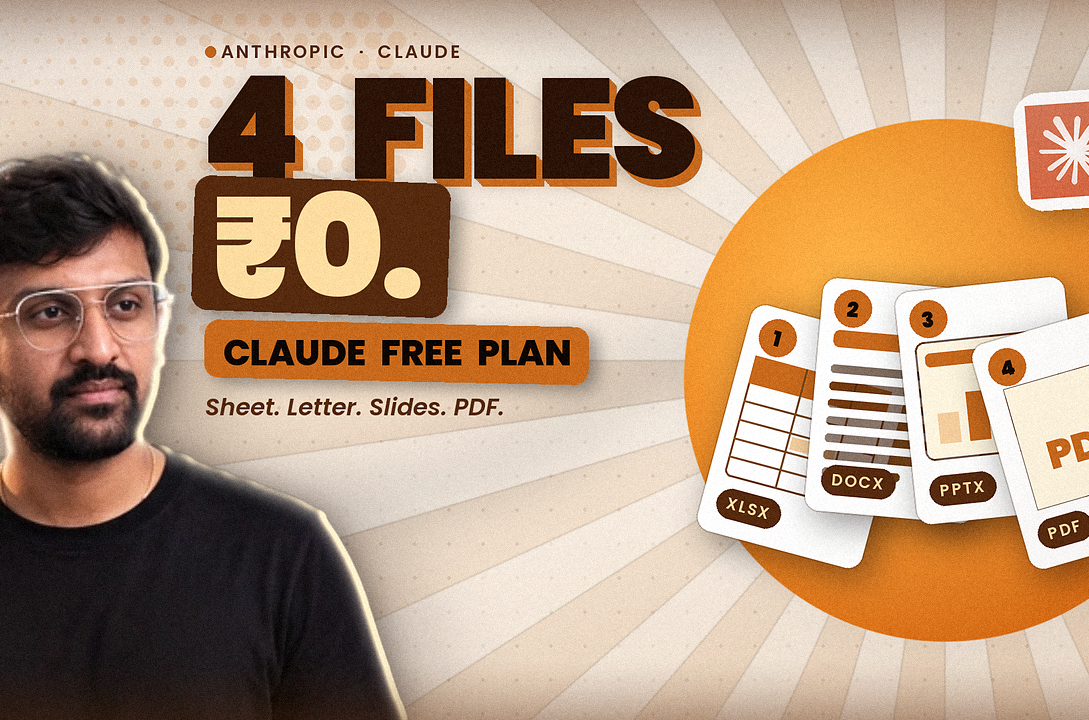
The Claude free plan can create four kinds of files for ₹0: an Excel spreadsheet, a Word document, a PowerPoint deck and a PDF. According to Anthropic’s pricing page, Free includes web search, file creation, code execution, memory, Skills and up to five Projects, with usage limits that reset every five hours and every week. Here are the four jobs, a copy-ready prompt for each, what to check before you trust the output, and where the Claude free plan stops and a paid plan starts.
Key takeaways
- What: the Claude free plan can make Excel, Word, PowerPoint and PDF files, because file creation and Skills are on the Free column of Anthropic’s pricing table.
- Setup: go to Settings, then Capabilities, and check that “Create and edit files” is on. Anthropic says it’s on by default for Free.
- Limits: Free usage is limited every 5 hours and every week. Anthropic publishes no message count, and creating files uses more of your allowance than normal chat.
- Not included on the Claude free plan: Claude Code, Research, Opus and Fable need a paid plan. Pro costs $20 a month in the US and ₹2,399 on a TechMitra India check.
- Safety: use sample data, keep private documents out, and install Skills only from trusted sources.
Published: 14 November 2026. Last updated: 14 November 2026, IST. Status: plan details come from Anthropic’s pricing page and help pages as read on 14 November 2026. Anthropic can change plans and limits at its discretion.
Table of Contents
Table of Contents
What can the Claude free plan do?
The Claude free plan lets you chat on web, desktop and mobile, search the web, create files and run code, use memory across chats, connect apps, make Artifacts, and work with Claude Design, Slides and Docs, according to Anthropic’s pricing page. You can also create up to five Projects. Usage is limited every five hours and every week.
That list is wider than most people expect from a free tool. Memory from chat history reached free users on 2 March 2026, per Anthropic’s release notes, and the September 2026 update put Claude Design, Slides and Docs on every plan including Free. Free also includes the Sonnet and Haiku model families. What it leaves out is Opus, Fable, Claude Code and Research, which are paid.

What are the four jobs the Claude free plan can do?
The four jobs the Claude free plan can do are making a spreadsheet, a Word document, a slide deck and a PDF. Anthropic’s file-creation help page says Claude can create Excel (.xlsx), PowerPoint (.pptx), Word (.docx) and PDF files that you download and use right away. Each file can be up to 30 MB.
| Job | File you get | Good for | Check before you use it |
|---|---|---|---|
| 1. Spreadsheet | Excel (.xlsx) | Budgets, trackers, marks sheets, price lists | Open the cells and test the formulas with new numbers |
| 2. Word document | Word (.docx) | Letters, notices, reports, resumes | Read every line for names, dates and tone |
| 3. Slide deck | PowerPoint (.pptx) | Class talks, pitches, office updates | Check layout, spelling and any numbers on the slides |
| 4. PDF handout | Handouts, checklists, one-page summaries | Look at page breaks and fonts, especially in Indian languages |
Anthropic says built-in Skills for these four file types are available to all users, and that Claude uses them on its own when your request needs them. A Skill is a saved how-to card that Claude follows, a bit like a recipe. You don’t have to name the Skill. Just ask for the file.
How do I switch on file creation on the Claude free plan?
To use file creation on the Claude free plan, open Settings, go to Capabilities and make sure “Create and edit files” is on. Anthropic says code execution and file creation is enabled by default on Free, Pro, Max and Ultra, but checking the toggle takes ten seconds and avoids a confusing “can’t create files” reply.
- Sign in at claude.ai, or open the Claude app on your phone.
- Open Settings, then Capabilities, and turn on “Create and edit files” (also called Code execution and file creation).
- Open Customize, then Skills, and switch on the built-in file Skills you want.
- Start a new chat and describe the file in plain words. Name the type: Excel, Word, PowerPoint or PDF.
- When the file appears, click Download. Open it in Excel, Word, PowerPoint or any PDF viewer and check it.
One conflict to note. A video script or blog may tell you to turn the setting on, while Anthropic says it’s already on for Free. Both can be right: some accounts may have it switched off. Check your own toggle instead of assuming.
How does each job work on the Claude free plan?
Each job on the Claude free plan follows the same pattern: say the file type, give the real content, ask for a clear structure, then check the result. The prompts below are written for Indian users and use rupees. They’re starting points, not tested results from Askhari. Paste your own content, use sample data first, and edit freely.
Job 1: a spreadsheet with working formulas
Anthropic’s own example for spreadsheets is a monthly budget tracker with automatic savings calculations. Claude can build working formulas and charts, so the file is more than a table of numbers.
Create an Excel monthly budget tracker in rupees with income, expense categories (rent, food, travel, phone, fun) and automatic totals and savings. Use sample numbers I can replace. Add one chart of spending by category.
Check: change one number and see whether the totals move. If a total stays the same, the formula is wrong, so ask Claude to fix it.
Job 2: a clean Word document
On the Claude free plan, Word files suit letters, notices and reports. You give rough notes and Claude shapes them into a page with headings and clean wording.
Here are my rough notes. Turn them into a one-page formal letter in Word, under 250 words, with a clear subject line and a polite closing. Keep all names and dates exactly as I wrote them. My notes follow in the next message.
Check: read names, dates and amounts line by line. Claude can smooth wording, but it can also change a detail if your notes are unclear.
Job 3: a five-slide PowerPoint deck
Anthropic uses a slide deck as an example prompt, and Claude Slides is also on the Free column, so you have two routes. The file route gives you a .pptx you can edit in PowerPoint.
Create a 5-slide PowerPoint deck explaining how UPI works for a first-time user. One idea per slide, short bullet points, a title slide and a summary slide. Use a clean, simple design with two colours.

Check: design is the weak spot of any AI deck. Look at spacing, font size and whether any slide has too much text. Fix numbers by hand.
Job 4: a PDF handout
The Claude free plan can also make PDFs, the best format for something you want to share and not edit, such as a study sheet or a one-page checklist.
Turn these notes into a clean one-page PDF handout with a heading, three key points and a short checklist at the bottom. Make it easy to print in black and white. My notes follow in the next message.
Check: open the PDF and look at page breaks. If you use Hindi, Telugu or Tamil text, check that every character shows properly.
Bonus job from Anthropic’s own examples: upload a PDF with tables and ask Claude to pull the data into an Excel sheet with a summary chart. That mixes the PDF and spreadsheet jobs in one go.

How much usage does the Claude free plan give you?
The Claude free plan gives limited usage every five hours and every week, and Anthropic doesn’t publish a message count. Anthropic’s usage page says how fast you reach a limit depends on the model, the length of the chat, the features you use and how large your files are. Anthropic’s file-creation help page adds that creating files draws from the same limit and uses more of it than normal chat.
- Batch your asks: put the content, the file type and the layout rules in one clear message instead of many small ones.
- Start fresh chats: Anthropic says long conversations that trigger automatic summarising use more of your limit.
- Use Projects for files you reuse: Free allows up to five, and Anthropic suggests Projects for working with larger amounts of information.
- Turn off tools you don’t need: web search and connectors are token-heavy.
- Keep a log for a week: note each time you hit the limit before you decide to pay.
A conflict on the details: older articles say the free limit resets every 24 hours or only every five hours. Anthropic’s current pricing page says limited every 5 hours and every week, so use that.
What does the Claude free plan not include?
The Claude free plan doesn’t include Claude Code, Research, Opus or Fable, and it doesn’t include the newer Sheets and Whiteboards betas, hand-off and scheduled tasks, Claude in Chrome or the Microsoft 365 add-ins. All of those start on Pro, according to Anthropic’s pricing page.
| Feature | Free | Pro and above |
|---|---|---|
| Chat, web search, memory, connectors | Yes | Yes |
| Create and edit files with code execution | Yes | Yes |
| Skills | Yes | Yes |
| Claude Design, Slides and Docs | Yes | Yes |
| Projects | Up to 5 | Yes |
| Sonnet and Haiku models | Yes | Yes |
| Opus | No | Yes |
| Fable | No | Pro: with usage credits. Max and Ultra: up to half of weekly limits |
| Claude Code | No | Yes |
| Research | No | Yes |
| Claude Sheets and Whiteboards (beta) | No | Yes |
| Model training | Opt-out | Opt-out |
If you’re curious about the top model, read our Fable 5.2 and Mythos 5.2 guide. Fable isn’t part of the Free plan, so the four jobs here run on the Sonnet and Haiku families instead.
Is the Claude free plan available in India, and what does Pro cost?
Yes, the Claude free plan in India works like anywhere else, because India is on Anthropic’s list of supported locations. If you outgrow Free, Claude Pro costs $20 a month in the US, or $17 a month billed annually, and TechMitra’s India tracker lists it at ₹2,399 a month including GST on 1 November 2026.
| Plan | Price | What it adds |
|---|---|---|
| Claude Free | ₹0 | Chat, files, memory, 5 Projects, Sonnet and Haiku, limited use |
| Claude Pro | ₹2,399 a month, or ₹23,999 a year (TechMitra); $20 or $17 in the US | More usage, Claude Code, Research, Opus, Projects |
| ChatGPT Go (for comparison) | ₹399 a month | A cheaper paid chat plan from another company |
| Google AI Plus (for comparison) | ₹399 a month | Gemini plus 400 GB of storage |
Two India notes. Anthropic lists no standing discounts and no student plan for individuals, and its Education plan is sold to universities, according to CostGoat and Anthropic’s pricing page. Also, Anthropic says Claude supports multiple languages in the app and in generated files, but you should test your own language with a small file first. To see how Google prices its top model, read our Gemini 4 Argon price guide.

Who is the Claude free plan for, and who should skip it?
| You are | Good fit? | Why |
|---|---|---|
| A student making notes, sheets or slides | Yes | The four file jobs cover most class work |
| An office worker with reports, letters and trackers | Yes | Word, Excel and PDF drafts save time, but you still check them |
| A shop owner with price lists and notices | Yes | Spreadsheets and printable PDFs are quick wins |
| A designer who needs polished layouts | Partly | AI decks and PDFs need your design eye |
| A developer who wants Claude Code | No | Claude Code needs a paid plan |
| Someone who works with Claude all day | No | You will hit the limits and should test Pro for a month |
Is it safe to use files and Skills on the Claude free plan?
It’s reasonably safe to use the Claude free plan if you keep private data out and install Skills only from sources you trust. Anthropic warns that the main risks of Skills are prompt injection and data leaks through malicious code, and says to install Skills only from trusted sources. Anthropic’s file-creation help page adds that a hidden instruction in an uploaded file or website could trick Claude, so you should watch what it does and stop it if it acts strangely.
- Don’t upload Aadhaar, PAN, bank statements, health records or passwords. Use sample data while you learn.
- Use the built-in Skills first. Don’t install a Skill from a random post or link.
- Anthropic says public sharing of conversations that include file artifacts is turned off for Free, Pro, Max and Ultra.
- The pricing table lists model training as opt-out on Free, so your chats can be used unless you switch it off in privacy settings.
What are the common mistakes with the Claude free plan?
| Mistake or myth | What’s actually true |
|---|---|
| The Claude free plan is free forever with no limits | Usage is limited every 5 hours and every week, and Anthropic can change limits |
| It replaces Excel, Word and PowerPoint | It drafts files. You still open, check and fix them in the real apps |
| Claude Code is free | Claude Code is a paid-plan feature |
| The first answer is final | Ask for changes. Iterating is part of the job |
| Any Skill is safe to install | Only install Skills from trusted sources |
| All free AI plans work the same way | Each has different limits, file tools and prices |
What should you try first on the Claude free plan?
- Check Settings, then Capabilities, and turn on “Create and edit files”.
- Run the budget tracker prompt on the Claude free plan with sample numbers, then change one number to test the formulas.
- Run the one-page letter or PDF prompt with notes you wrote yourself, and compare it with your original.
- Note each time you hit the usage limit this week. If it happens three or more times, test Pro for one month, billed monthly.
Askhari will update this same page when Anthropic changes the Claude free plan, with a dated note at the top.
Related reading on Askhari
- Claude Fable 5.2 and Mythos 5.2: what Anthropic’s top models do and cost.
- Gemini 4 Argon price: what Google charges, in dollars and rupees.
- GPT-6 explained: what OpenAI’s next model could mean.
- Meta’s Muse Wonder explained: another AI assistant you can try for free.
- DeepSeek Super Agent explained: a coding agent that competes with paid tools.
What we don’t know yet
- How many files you can make in one five-hour window on the Claude free plan, because Anthropic publishes no number.
- How good each file looks on your own content, since results vary by prompt and data.
- Whether Anthropic will change free limits as new models launch.
- How well every Indian language renders in Word, PowerPoint and PDF files.
- Which model your free account uses on a given day, because Anthropic lists only the Sonnet and Haiku families.
Watch: Claude free skills and files explained
Frequently asked questions about the Claude free plan
Is the Claude free plan really free?
Yes. Anthropic lists Free at $0 with limited usage every 5 hours and every week. You don’t need a card to use it.
Can Claude make Excel, Word and PowerPoint files for free?
Yes. Anthropic says file creation is available on Free, and Claude can produce Excel, Word, PowerPoint and PDF files you can download.
What are the Claude free plan limits?
Usage is limited every 5 hours and every week, and heavy file work uses more of it. Anthropic doesn’t publish a message count.
Is Claude Code free?
No. Claude Code is listed as a Pro-and-above feature on Anthropic’s pricing page.
Is the Claude free plan available in India?
Yes. India is on Anthropic’s supported locations list. Pro, the next step up, was tracked at ₹2,399 a month on 1 November 2026.
Do I need to install any Skills?
No for the four file jobs. Anthropic’s built-in file Skills work automatically when file creation is on. Install other Skills only from trusted sources.
Hari’s take
In my view, the Claude free plan is the best-value way to learn what AI can do for ordinary paperwork. A budget sheet, a one-page letter, five slides and a PDF handout are the jobs most of us do every week. If Claude drafts them in two minutes, you spend your time checking instead of typing.
Results depend on your own content, so test the Claude free plan with sample data, check every number, and keep private files out. Which job would save you the most time: 1 spreadsheet, 2 Word, 3 slides or 4 PDF? Comment the number below.
Sources: Anthropic pricing page, read 14 Nov 2026; Claude Help Center, create and edit files; Claude Help Center, use skills; Claude Help Center, usage and length limits; Claude Help Center, projects; Claude release notes; Claude supported locations; TechMitra India AI prices; CostGoat, Claude promo and free plan; TechUpsider, is Claude free. Last updated 14 November 2026.